
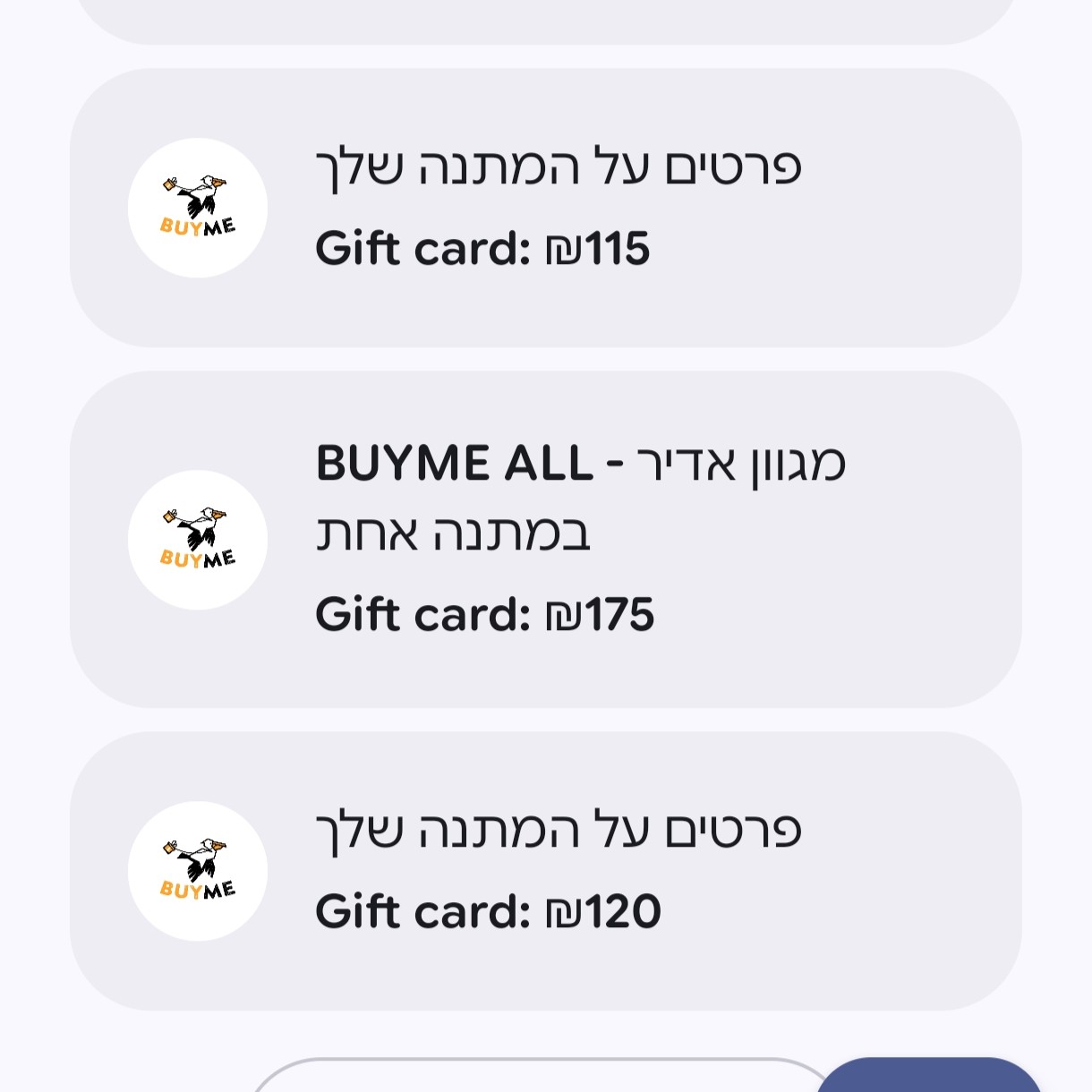
I like the American term “credit card hacking”: finding ways to get more value from your cards. Think of this as BUYME hacking.
If you are getting used to life in Israel, BUYME is one of those local services worth learning to navigate. It is a digital gift-card platform, with gifts for shops, restaurants, experiences and more. The useful question is what your particular voucher lets you do.
Here are the things I would check to make the most of it and avoid leaving money unused.
1. You can add BUYME to Google Wallet
(And probably Apple too.) It makes it much easier to pull up your voucher and use it at the shop. Remove it once the balance is gone. Keeping it there helps you remember it exists and make use of its long validity period.
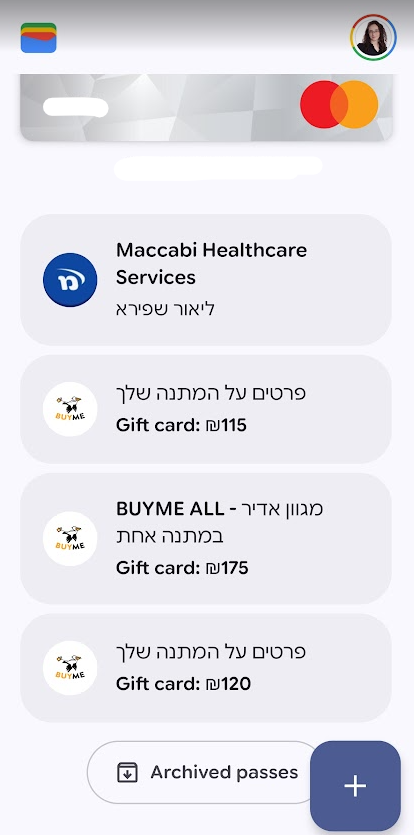
How do you add BUYME to Google Wallet?
You need to do this through the website. From what users have told me, you cannot add the card through the app.
- Sign in to your BUYME account.
- Go to המתנות שלי (My Gifts).
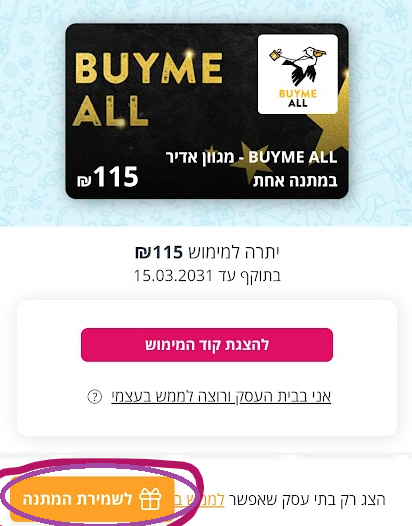
- Click the card you want to save.
- Click the orange לשמירת המתנה (Save the gift) button at the bottom left.
- Select הוספה אל Google Wallet (Add to Google Wallet).
What about iPhone users?
From what people with iPhones have told me, the option is not available in Apple Pay. My suggestion is to create a WhatsApp group for BUYME with your card details:
- Sign in to your BUYME account.
- Go to המתנות שלי (My Gifts).
- Click the card you want to save.
- Click the orange לשמירת המתנה (Save the gift) button at the bottom left.
- Send it to yourself on WhatsApp in a dedicated group—for example, one called “BUYME” or “Gift cards.”
2. You can see gifts from several accounts in one place
You would think our BUYME gifts would be a mess:
- Idan gets some of the BUYME gifts, but I am the one who actually does the shopping.
- I have two email addresses, and I have received BUYME gifts at both.
In practice, their interface is great, and it is no problem at all.
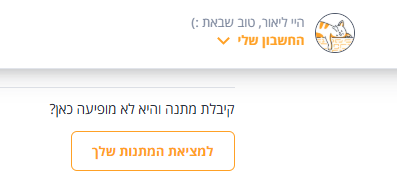
Go to החשבון שלי (My Account) → המתנות שלי (My Gifts). At the bottom, there is a button labelled למציאת המתנות שלך (Find your gifts). You can add more than one email address and more than one phone number. You just need to verify each email address and phone number before its gifts appear there.
That way, even if he received the gift and you are the one shopping, you can save the gifts in your account and see what you have and how much is left. You can also add vouchers manually.
3. Check how much balance you have
Sign in to BUYME and check how many cards you have and their remaining balances. You can do this easily on the website or in the app. Then add each card to your phone’s wallet, too. You will find them under החשבון שלי (My Account) → המתנות שלי (My Gifts).
Search WhatsApp too
Another good tip from the thread: search WhatsApp. Search for “ביימי,” “Buyme,” “Buy me” and “ביי מי”—you might discover a few more surprises to add to your wallet.
4. You can ask to exchange a gift
You can email them and exchange a gift. Received BUYME Restaurants but would prefer BUYME ALL? Or the other way around? Email customer service at support@buyme.co.il and ask to exchange it, and they will. No questions, no fees.
If your partner received the gift but you are the one making the request, include their phone number. They are the one who will receive the new card.
5. You can pay with it online too
If you prefer shopping online, many chains that accept BUYME in their physical shops also accept it online. Usually, you enter a coupon code, but it is worth checking with their customer service on WhatsApp. If I remember correctly, I did this at Castro last year.
A friend told me that when she ordered by phone, she read the code to the person at the shop, and he entered it for her.
6. An AI agent
One of the problems with BUYME is that you do not always know who accepts it, you forget you have it, and you forget to check. If you use an AI agent, you can use it to help you make use of your vouchers.
Whether you have built your own agent or use an existing product (these days, I am in love with Instinct), tell it that whenever you use it to research a product or service or to order something, it should check whether the business accepts BUYME, and whether that is in store or online, because you have BUYME cards to use.
7. More money in BUYME than you know what to do with?
You can give the details to someone close to you who will enjoy it, or donate to a civilian volunteer relief group. I vaguely remember a project that accepted donations of BUYME cards, but I cannot remember the details. Maybe one of you can remind me.
To sum up
BUYME is a great way to use money someone else has already spent on you, and it can only be used for purchases. Using it wisely lets you set aside more of your own money for saving and investing. You probably know this, but do not go overboard and buy things just because they are on sale or because you can. The vouchers are valid for a long time, so use them accordingly.
It is money, and it is your money. There is no reason not to make the most of it.
More posts about smart shopping—as long as you are in control of it, rather than the other way around:
- Cashback—money back on online purchases (which is basically a discount).
- Saving money with credit cards.
- I thought Temu was a decent company. Turns out it is not.
